
Let your audience explore your products in 3D.
Create an interactive product presentation, share it with a link or QR code, or embed it directly into your website.
More Than a Viewer
Present your product the way you want it to be seen.
Prepare your model, create key views and add simple controls to give your audience a clear, interactive product experience.
Import your models
Bring in product models using supported 3D formats or transfer them directly using one of our CAD add-ins.
Prepare the presentation
Adjust appearances, set the camera and create snapshots that focus attention on important product details.
Embed on your website
Add the presentation directly to product pages, landing pages and other existing web content.
Share directly
Publish with a unique URL or QR code, with password protection available when access needs to be controlled.
Use It Across Channels
One product presentation, used wherever you need it.
Create an interactive presentation once and reuse it across product launches, website pages, campaigns and events.
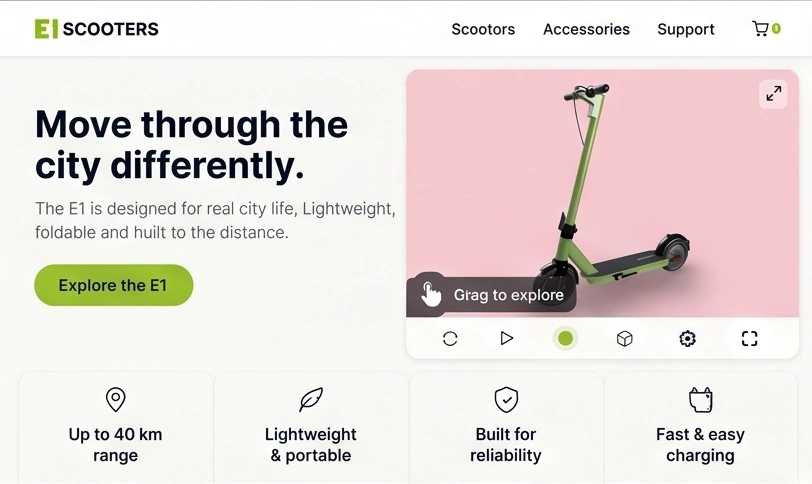
Product launch pages
Embed the product directly into launch pages alongside the information and calls to action already on the page.
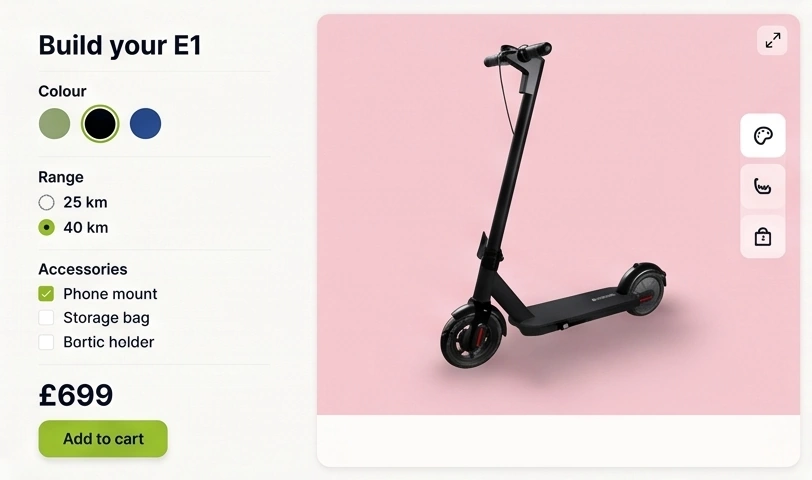
Interactive campaigns
Let visitors inspect the product and explore options such as finishes, variants and accessories.
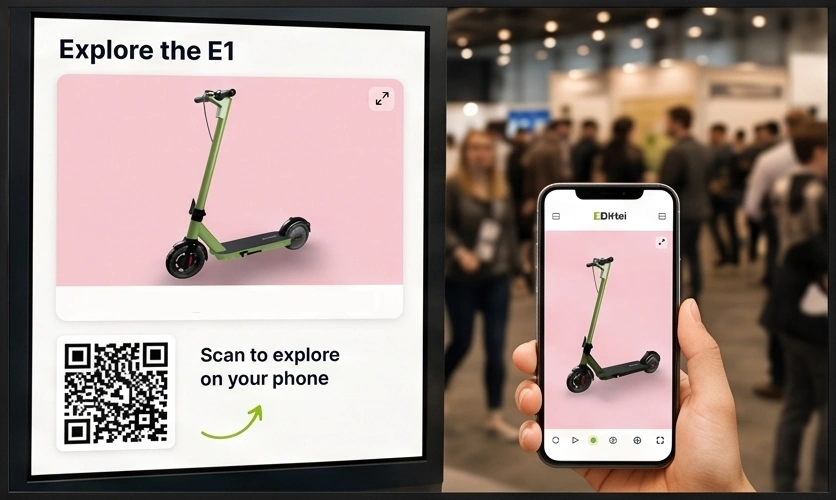
Events and QR codes
Use presentations on event screens and let visitors continue exploring on their own devices.
Product showcase
Show the product at its best.
Use scroll presentations for hero angles, close-up details, exploded moments, materials and feature highlights that hold attention on a sales page or in a live demo.
SIMPLE BY DESIGN
Easy to use. No CAD experience required.
3DVizi is designed for anyone to use. Sales and marketing teams can create interactive product experiences without CAD expertise, specialist skills or expensive training courses.
STEP 1
Add to your library
Bring your product into 3DVizi directly from one of the CAD add-ins, or import a neutral format such as glTF.
STEP 2
Create the experience
Refine appearances, set camera views, capture snapshots, and add controls that help your audience explore and understand the product.
STEP 3
Share it anywhere
Publish a unique URL, create a QR code, or embed the presentation on your own website for your audience to explore.
Best Fit
For products that are easier to understand in 3D.
Give customers a better view of products where shape, scale, movement, internal details or assembly are difficult to communicate with images alone.
Product Pages
Let visitors rotate, zoom and inspect the product alongside the information they need to make a decision.
Sales Presentations
Give sales teams an interactive product presentation they can use during meetings and share afterwards.
Events
Use the same presentation on screens, touch devices and QR codes at trade shows and showrooms.
Interactive Web Experiences
Use the Viewer API to connect the presentation to your own page controls, selectors and custom interfaces.
FAQ
Questions before you start?
A few practical answers about creating and publishing interactive 3D product presentations.
Yes. Use the 3DVizi add-ins for Onshape and SOLIDWORKS, or export a GLTF/GLB and import it.
Yes. You can share a direct link or embed the viewer into product pages, launch pages, proposal pages and distributor portals.
Yes. 3DVizi supports no-code configuration controls for finishes, colours, visibility and accessories, with API control available for more custom logic.
Use the API when the 3D presentation needs to connect to a quote flow, custom product selector, portal, campaign page or another system that should drive the model.
Yes. Password protection is available on paid plans, so sensitive product presentations can be controlled before a wider release.
3DVizi supports CAD-led workflows and prepared 3D formats such as GLB, GLTF, and FBX.
No. You can adjust appearances, create snapshots, set camera views, add interactive controls, create alternatives, and publish the finished presentation in several ways.
Yes. Presentations can be embedded directly into existing websites and product pages, or controlled through the Viewer API for more advanced integrations.
Create your first interactive product presentation.
Start your free trial, add a product model and publish an interactive presentation you can share or embed.